Switching & data portability
Bring your records with you. Take them with you if you ever leave.
Moving kennel software should not mean retyping years of customer and pet records by hand — and choosing Fetch should never lock your data in.
Step by step
How moving across works.
Export CSV files from your current system
Download your customer list, dogs and cats, upcoming bookings and vaccination dates as CSV spreadsheets — from KennelBooker, another booking system, or your own Excel or Google Sheets files.
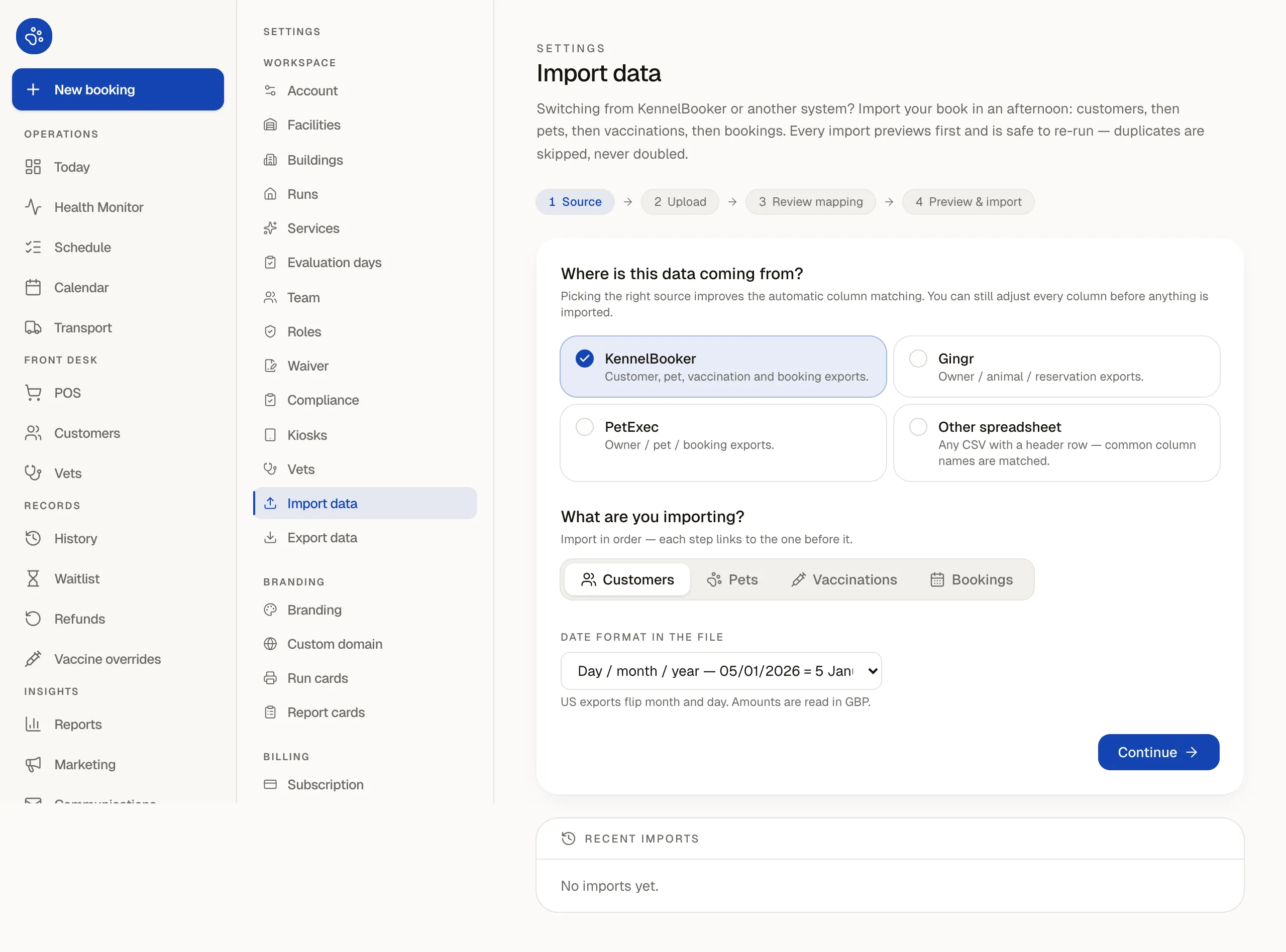
Map your columns (with suggested matches and a KennelBooker starting preset)
Upload each CSV into the built-in importer. It suggests column matches for you and includes a KennelBooker starting preset to speed up mapping, while letting you inspect and adjust every column before going further.
Preview with a dry run before anything is saved
Run a dry run first. The importer checks dates, phone numbers, required fields and duplicate rows so you can spot anything messy and fix the mapping before a single record is written to your account.
Run in parallel during your 14-day free trial
Keep your existing setup running while your team tests check-ins, runs and the online booking portal on real bookings. Switch customers over once you are completely comfortable.
Built-in importer
What you can import.
Import each dataset from CSV, verify how columns line up using the suggested matches or the KennelBooker starting preset, and check the dry-run summary before saving.
- Customers
- Names, email addresses, phone numbers, postal addresses, emergency contacts and notes.
- Pets (dogs and cats)
- Species, breed, date of birth, feeding notes, vet details and care flags tied to each owner.
- Bookings
- Upcoming and historical boarding, daycare and grooming stays so your calendar starts populated.
- Vaccination records
- Vaccine types and expiry dates per dog or cat so your vaccination gate works from day one.
Your data is yours
Full CSV export is included.
The account owner can download every record as CSV files at any time, and during the 30 days after a subscription ends. Uploaded photos and documents are supplied on request.
This is included on Starter, Pro and Enterprise — see section 13 of our terms of service for the full export window and deletion timetable.
Moving from paper?
Start with upcoming bookings first.
If you run off a diary book today, you do not need to enter five years of history on day one. Configure your runs, pens, daycare capacity or grooming stations, enter the next few weeks of bookings, and let returning owners fill in their own details when they book online or check in at the reception kiosk.
Try Fetch with your own runs for 14 days.
No payment card required. Import from a spreadsheet or KennelBooker preset, or start fresh.